The Smarter Way to
Stream Live TV
Across Every Device
besttvplaylist.shop gives USA viewers access to premium IPTV playlists and subscription guidance — so you can watch the channels you love on any screen, without the complexity and overpriced bundles of traditional cable.
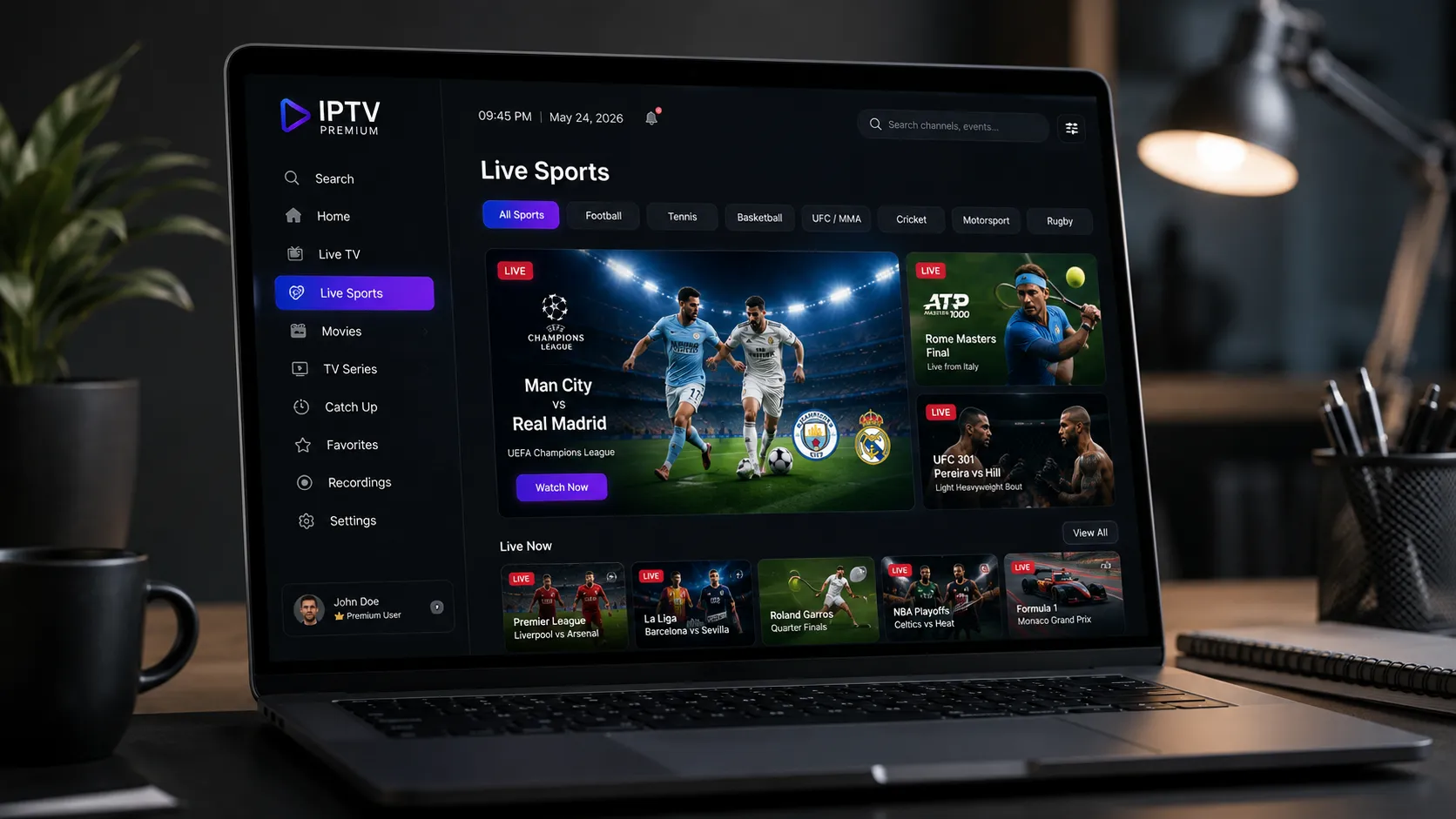
Compatible with your devices
Television That Travels Over the Internet — Explained Simply
IPTV stands for Internet Protocol Television. Rather than picking up a broadcast signal through a cable box or satellite dish, IPTV delivers live television channels and on-demand content directly over your broadband or fiber internet connection — the same pipe that delivers your email and video calls.
The mechanics are straightforward: a remote server stores and streams video data, your IPTV player app (installed on your Firestick, Smart TV, phone, or computer) requests a channel, and the stream flows from the server to your screen in real time. Because it runs over internet infrastructure rather than dedicated TV hardware, you can watch on practically any device with a screen and a web connection.
- No satellite dish or cable contract required. As long as you have a reliable broadband connection, you can access IPTV content on any compatible screen in the home.
- Watch on multiple device types simultaneously. Depending on your plan, many IPTV subscriptions allow you to stream on more than one screen at a time — ideal for households with different viewing preferences.
- On-demand content alongside live TV. Many IPTV services include a VOD (video-on-demand) library in addition to live channel streams, giving you greater flexibility over when and what you watch.
- Flexible, shorter-term subscriptions. Compared to multi-year cable contracts, most IPTV subscriptions offer monthly or quarterly plans without long-term lock-in.
If you want to dive deeper into providers, plans, and setup, our comprehensive guide on the best IPTV providers in the USA is the ideal starting point.

From Sign-Up to Streaming in Four Steps
Setting up IPTV is far simpler than most people expect. Here is the typical journey, from choosing a plan to watching your first channel.
Choose Your Plan
Browse our IPTV subscription plans or reach out via WhatsApp to discuss which tier suits your viewing habits. Whether you want a single connection or family-friendly multi-screen access, there is a plan designed for your situation.
Receive Your Access Details
After subscribing, you will receive the credentials or M3U playlist URL needed to activate your chosen player. This is typically delivered quickly via WhatsApp or email, so you can get started without delays.
Install an IPTV Player App
Download a compatible IPTV player app on your device — popular options include IPTV Smarters Pro, TiVimate, or GSE Smart IPTV. Enter your M3U URL or login credentials to load your channel list. Our guides walk you through every step in plain language.
Start Streaming
With your player configured, your channel guide appears instantly. Browse live sports, news, entertainment, and international programming. Need help at any point? Our WhatsApp support team responds quickly to walk you through any setup question.
Everything That Makes IPTV Worth Switching To
Modern IPTV delivers a fundamentally different streaming experience compared to outdated cable bundles. Here is what you can expect when you make the switch.
HD & 4K Stream Quality
Many IPTV providers now offer 4K Ultra HD streams alongside standard HD content. The quality you receive depends on your subscription tier and your internet connection speed — with a 25+ Mbps connection, 4K streams deliver a genuinely cinematic experience.
Organized Channel Playlists
A well-structured M3U playlist organizes thousands of channels into logical categories — sports, news, entertainment, international, kids — so you are never hunting through a disorganized list. Premium playlists also include electronic program guide (EPG) data showing what is currently on.
Multi-Device Flexibility
Watch on your living room TV, stream on your phone during your commute, and continue on your laptop when you travel — all under one IPTV account. Multi-connection plans are available for households with several simultaneous viewers across different rooms.
Video On Demand Library
In addition to live channels, most premium IPTV subscriptions include an extensive VOD library covering movies and TV series across every genre. Unlike scheduled broadcast TV, VOD lets you start content whenever it suits you — no DVR recording required.
No Long-Term Contracts
Unlike cable providers that lock you into 12- or 24-month contracts with early termination fees, IPTV subscriptions typically come in monthly, quarterly, or annual tiers. You can start with a short-term plan to evaluate quality and adjust your commitment as needed.
Electronic Program Guide
Premium IPTV services include EPG data, showing the current and upcoming schedule for each channel — just like the guide you are used to on cable TV. Compatible apps like TiVimate render EPG in a clean grid layout that makes channel browsing effortless and familiar.
IPTV Works Wherever You Already Watch
One of IPTV's most practical advantages is device flexibility. You do not need new hardware — your existing screens and streaming sticks are almost certainly already compatible. Here is what works with a standard IPTV subscription and M3U playlist.
Smart TVs
Samsung, LG, Sony Android TV
Amazon Firestick
Fire TV 4K, Fire Stick Lite
Android Phone & Tablet
Android 6.0 and above
iPhone & iPad
iOS 13 and above
Windows PC / Mac
Via VLC, Kodi, or web players
Roku
Via Roku IPTV-compatible apps
For a full breakdown of which apps work best on each device, visit our IPTV apps and players guide, or check our dedicated IPTV for Firestick page for Amazon device-specific setup instructions.

Find the Right Subscription
Prepaid plans with dedicated routing, 4K quality, and full device support.
- 2 Simultaneous Screens
- Ultra‑Low Latency
- Dedicated VIP Routing
- 120,000+ Live Channels
- 160,000+ Movies & Series
- HD / FHD / 4K Quality
- Anti-Freeze™ Technology
- All Sports & PPV Included
- Full EPG TV Guide
- 24/7 WhatsApp Support
- All Devices Supported
- VPN Access Included
- 2 Simultaneous Screens
- Ultra‑Low Latency
- Dedicated VIP Routing
- 120,000+ Live Channels
- 160,000+ Movies & Series
- HD / FHD / 4K Quality
- Anti-Freeze™ Technology
- All Sports & PPV Included
- Full EPG TV Guide
- 24/7 WhatsApp Support
- All Devices Supported
- VPN Access Included
- 2 Simultaneous Screens
- Ultra‑Low Latency
- Dedicated VIP Routing
- 120,000+ Live Channels
- 160,000+ Movies & Series
- HD / FHD / 4K Quality
- Anti-Freeze™ Technology
- All Sports & PPV Included
- Full EPG TV Guide
- 24/7 WhatsApp Support
- All Devices Supported
- VPN Access Included

What Is an M3U Playlist and Why Does It Matter?
An M3U playlist is essentially a text file that contains a structured list of media stream URLs — think of it as the table of contents for your IPTV channel lineup. Each entry in the file points to a specific live stream or VOD file hosted on a remote server. When you load an M3U URL into a compatible player app, it reads the list and presents your channels in a clean, navigable interface.
The format is widely supported across virtually every IPTV player, including IPTV Smarters Pro, TiVimate, VLC Media Player, Kodi, and dozens of others. This universality means that once you have a valid M3U URL from your IPTV provider, you can use it with whichever player app you prefer — you are not locked into a proprietary app ecosystem.
Premium M3U playlists are paired with EPG (Electronic Program Guide) data, which adds schedule information to each channel entry so your player can display a proper program guide — complete with show titles, descriptions, and upcoming schedules — just like the on-screen guide you are used to from cable.
Want to understand M3U playlists in more depth, or need step-by-step setup instructions? Our full guide on IPTV M3U playlists covers everything from what the file contains to how to load it on any device.
Straightforward IPTV Guidance You Can Actually Trust
The IPTV space is cluttered with vague marketing and overpromised services. We take a different approach: honest information, clear setup help, and real support when you need it.
No Inflated Claims
We do not promise "unlimited 4K" or "guaranteed zero buffering." IPTV quality depends on your internet connection and your chosen provider. We help you set realistic expectations and pick the right solution for your household's actual needs.
WhatsApp Support
Real help through a real channel. Our WhatsApp line is the fastest way to get your setup questions answered, troubleshoot a playback issue, or ask about which plan is the right fit for your situation. No ticketing system, no wait queues.
Step-by-Step Setup Guides
From loading an M3U playlist into IPTV Smarters Pro to installing a player app on your Firestick, our guides break down every step with plain-English instructions written for everyday users. No technical background is required.
Honest Provider Comparisons
Our IPTV provider reviews assess services on stability, channel count, app compatibility, pricing transparency, and customer responsiveness — so you can make an informed decision before spending a dollar.
USA-First Focus
All recommendations, setup guides, and legal information are written specifically for viewers in the United States. We understand the devices Americans use, the channels American audiences watch, and the legal frameworks that apply under US law.
Legality Transparency
We are upfront about the legal landscape. IPTV technology is legal, but not every service or playlist operates within the law. Our is IPTV legal in the USA guide explains everything a US viewer needs to know before subscribing.
Ready to Cut the Cable Bill?
Join the growing number of American households that have switched to flexible IPTV subscriptions. Start with a free trial — no long commitment, no confusing hardware — just the channels you actually want to watch.
Everything You Need to Know About IPTV in the USA
Our six core guides cover every angle of the IPTV experience — from finding the right provider to understanding the legal landscape and setting up your first player app.
Best IPTV Providers
Top-rated USA services compared and reviewed
IPTV M3U Playlists
Free and premium playlist URLs explained
Apps & Players
Best IPTV apps for Firestick, Android & iOS
IPTV Boxes & Devices
Best Android & MAG streaming boxes for the USA
IPTV Free Trial
Test the best services risk-free in 2026
Is IPTV Legal?
The USA legal landscape explained clearly
Frequently Asked Questions About IPTV
Honest answers to the questions USA viewers ask most before making the switch to IPTV.
IPTV (Internet Protocol Television) delivers television content over a broadband internet connection rather than via a coaxial cable or satellite signal. Traditional cable TV requires proprietary hardware installed in your home and a long-term contract with a provider. IPTV works on your existing devices — Firestick, Smart TV, phone, tablet, or computer — through a player app, with no special hardware installation needed. This flexibility, combined with typically shorter subscription commitments, makes IPTV an attractive alternative for American households looking to reduce their monthly TV spend while keeping the channels they enjoy.
When you subscribe to an IPTV service, you receive either a username and password (for Xtream Codes-compatible services) or an M3U playlist URL. You enter these credentials into a compatible IPTV player app installed on your device. The app connects to the provider's servers and loads your channel list automatically. From there, you can browse and stream live channels or access the VOD library just as you would with any streaming platform. Subscriptions typically run monthly, quarterly, or annually, with pricing varying by the number of simultaneous connections and content tier included.
IPTV is compatible with a wide range of devices. Amazon Fire TV Stick and Fire TV 4K are among the most popular in the USA. Android TV devices — including Sony, Philips, and TCL Smart TVs — work natively with Android IPTV apps from the Google Play Store. Android smartphones and tablets, iPhones and iPads (via iOS-compatible IPTV apps), Windows and Mac computers (through VLC, Kodi, or dedicated IPTV players), and Roku devices also all support IPTV playback. Our dedicated guide covers the best IPTV apps for each platform in detail.
Yes — you need an IPTV player app to use your subscription or M3U playlist. The app acts as the front-end interface that loads your channel list and handles video playback. Popular IPTV players include IPTV Smarters Pro (available on Firestick, Android, iOS, and Windows), TiVimate (Android and Firestick), GSE Smart IPTV (iOS and Android), and VLC Media Player (Windows and Mac). Most IPTV player apps are free to download, though some premium versions add features like multi-screen EPG views and catch-up TV. We cover the top options in detail on our IPTV apps and players guide.
An M3U playlist is a text file that contains a list of live stream URLs, organized by channel or category. When you receive an M3U URL from your IPTV provider, you paste it into your IPTV player app's "Add Playlist" or "M3U URL" field. The app downloads the channel list and makes all streams available in its interface. M3U playlists are universally supported — the same URL typically works across IPTV Smarters, TiVimate, VLC, Kodi, and most other players. For full setup instructions tailored to every major app and device, see our guide on how to use an M3U playlist URL.
It depends on your Smart TV's operating system. Android TV-based Smart TVs (including Sony, Philips, and TCL models running Google TV) allow you to install IPTV apps directly from the Google Play Store, making setup straightforward. Samsung Tizen and LG webOS TVs have more restricted app ecosystems — the most reliable workaround is to connect an Amazon Fire TV Stick or Android TV box to your TV's HDMI port, which effectively adds full Android app support. If you want a native Smart TV IPTV solution, look specifically for models that run Android TV or Google TV as their operating system.
Absolutely. Amazon Fire TV Stick is one of the most widely used devices for IPTV in the USA, partly because it is affordable, widely available, and supports sideloading third-party apps. IPTV Smarters Pro is available directly in the Amazon Appstore, while TiVimate can be sideloaded using the Downloader app. Both work reliably on the standard Firestick as well as the 4K Max version. We have written a comprehensive guide specifically for setting up IPTV on Firestick that walks through every step from download to first stream.
For stable HD streaming, a minimum download speed of 10 Mbps is recommended per stream. For 4K Ultra HD content, aim for at least 25 Mbps per simultaneous stream. If multiple people in your household stream at the same time, multiply those figures accordingly. A wired ethernet connection is generally more stable than Wi-Fi for live streaming, particularly for sports and live events where even a brief interruption is disruptive. If you experience buffering issues, switching from Wi-Fi to a direct ethernet connection is often the most effective first fix before adjusting any other settings.
IPTV as a technology is legal. Whether a particular IPTV service or playlist is legal depends entirely on whether the provider holds legitimate licensing agreements for the content they distribute. Established legal IPTV services in the USA include Sling TV, Philo, FuboTV, Hulu + Live TV, and YouTube TV — these operate under proper broadcasting licenses. Third-party IPTV providers that distribute copyrighted sports, movie, and premium cable channels without authorization may be operating illegally under US copyright law, potentially exposing both the provider and the subscriber to risk. Always verify the licensing status of any service before subscribing. For a thorough breakdown of the legal landscape, read our guide on IPTV legality in the USA.
Buffering is typically caused by one of three things: a slow or unstable internet connection, server-side congestion on the IPTV provider's end, or an overtaxed device. Start by running a speed test to confirm your connection meets the recommended minimums. If speed is sufficient, try switching from Wi-Fi to a wired ethernet connection, restarting your router, or selecting an alternative stream server if your provider offers backup stream URLs. If the problem persists consistently across multiple channels and times of day, it may indicate the provider's infrastructure is under strain — a sign to evaluate an alternative. Contact our WhatsApp support line and we can help diagnose the issue step by step.
Choosing the right IPTV subscription involves several practical considerations. First, define what you need: live sports, international channels, a large VOD library, or a cost-effective replacement for basic cable. Then evaluate providers on stream stability and uptime history, channel count and lineup relevance to your viewing habits, app compatibility with your specific devices, pricing transparency and contract flexibility, and the responsiveness of their customer support. Starting with a short-term plan or a free trial is always the lowest-risk way to evaluate a service before committing to a longer subscription. Our best IPTV providers guide walks through exactly these criteria for the top services available in the USA today.
Yes — and we strongly recommend it as your first step. Many IPTV providers offer a free trial period, commonly 24 to 48 hours, so you can test stream quality, channel availability, EPG accuracy, and app compatibility on your specific devices before paying for a full plan. A trial lets you verify that the service performs well with your internet connection and in your location before making any financial commitment. Visit our dedicated IPTV free trial guide to see which providers currently offer trials and exactly how to claim them without risk.
Still have questions? Our team responds fast on WhatsApp.
Ask a Question